Did you know a dirty mousepad can hurt your gaming and computer health? Studies show that mousepads can collect lots of bacteria and dust. This can lead to health problems and lower performance. So, it’s key to keep your mousepad clean for the best results and health.
Want to keep your mousepad in top shape? Effective cleaning methods can really help. We’ll show you easy steps to keep your mousepad clean and working well.
Key Takeaways
- Regular cleaning improves mousepad performance.
- Simple household items can be used for cleaning.
- Different materials may require specific cleaning methods.
- Proper drying is crucial to prevent damage.
- Maintaining a clean mousepad enhances overall hygiene.
Why Cleaning My Mousepad is Important
Learning about the need for mousepad cleaning has changed how I care for my gaming gear. A clean mousepad is more than just looking good. It’s key to a great gaming experience.
There are many reasons I make cleaning my mousepad a priority. Let’s explore the main benefits.
Improve Mouse Performance
A clean mousepad lets my mouse move smoothly and accurately. Dirt and debris can slow it down, making games tough. Regular cleaning keeps my mouse working its best.
Maintain Hygiene
Gaming mousepads can collect bacteria and germs if not cleaned often. A study showed that gaming gear can be full of bacteria. Keeping it clean is important, more so during flu season or when others use it. Cleaning my mousepad often stops germs from growing.
Extend Mousepad Longevity
Cleaning my mousepad regularly helps it last longer. Dirt and grime can damage it, making it less effective. A clean mousepad stays in top shape for more games.
| Benefits of Cleaning Mousepad | Description |
|---|---|
| Improved Mouse Performance | Ensures smooth and accurate mouse tracking |
| Maintained Hygiene | Prevents the buildup of bacteria and germs |
| Extended Mousepad Longevity | Keeps the mousepad in good condition for longer |
Different Types of Mousepads
Mousepads are more than just a surface for your mouse. They come in various types to meet different needs. Knowing the types helps you clean your mousepad right.
Cloth Mousepads
Cloth mousepads are very common. They’re soft and woven, making your mouse glide smoothly. They’re comfy and easy to clean.
Hard Mousepads
Hard mousepads are made of sturdier stuff like plastic or aluminum. They give a precise surface, great for gamers and designers. They’re durable and simple to keep up.
RGB Gaming Mousepads
RGB gaming mousepads are for gamers. They offer precision and customizable lights for a better gaming feel. But, they need careful cleaning because of their tech parts.
| Type | Material | Precision | Cleaning Ease |
|---|---|---|---|
| Cloth | Soft, woven fabric | Good | Easy |
| Hard | Rigid materials like plastic or aluminum | High | Easy |
| RGB Gaming | Varies, often with electronic components | High | Moderate |
Knowing your mousepad type is key to cleaning it right. It keeps your mousepad in top shape and working well.
Pre-Cleaning Preparation
Pre-cleaning preparation is key to a smooth cleaning process. It ensures your mousepad is cleaned well and lasts longer.
Gather Necessary Supplies
First, collect the cleaning supplies you need. This includes a soft cloth, mild detergent, warm water, and a dry towel. Having these ready makes cleaning easier.
| Supply | Purpose |
|---|---|
| Soft Cloth | Gentle cleaning without scratching the mousepad |
| Mild Detergent | Effective cleaning without damaging the material |
| Warm Water | Helps in loosening dirt and grime |
| Dry Towel | Drying the mousepad after cleaning |
Clear Your Workspace
Clearing your workspace is also crucial. Remove any clutter to have a clean area for cleaning. This prevents spills and damage to other items.how-to-clean-your-phone-from-virus-for-free
By following these steps, you’re ready to clean your mousepad effectively. A clean mousepad enhances your computing experience and extends your device’s life.
How to Clean a Cloth Mousepad
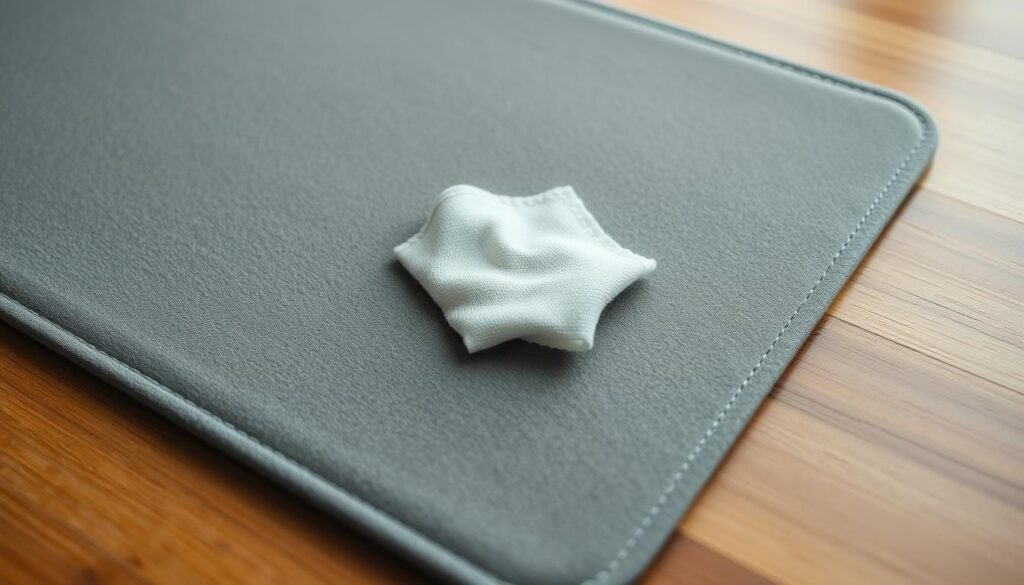
To keep your cloth mousepad in top shape, it’s key to know how to clean it right. A clean mousepad makes gaming better and lasts longer.You can learn more about how-to-clean-a-cast-iron-skillet
Step-by-Step Washing Instructions
Cleaning your cloth mousepad is easy. First, check the maker’s guide for cleaning tips. Start by shaking off any loose dirt.
Then, mix mild detergent with warm water. Soak the mousepad and scrub it with a soft brush or cloth. Clean both sides to get rid of dirt and stains.
“Regular cleaning of your gaming mousepad can significantly improve your gaming performance by ensuring smooth and precise mouse movements.” – Glorious Gaming
Drying Techniques
After washing, dry your mousepad right. Squeeze out water without wringing it. Lay it flat on a towel to air dry. Don’t put it in direct sunlight or heat, as it can harm the material.
Best Practices
To keep your mousepad in great shape, clean it regularly. Do spot cleaning often and deep wash every few months or when needed.
| Cleaning Frequency | Method |
|---|---|
| Weekly | Spot cleaning with a damp cloth |
| Monthly | Gentle washing with mild detergent |
| Quarterly | Deep cleaning with a soft-bristled brush |
By following these tips, your cloth mousepad will stay clean and work well for gaming or work.
How to Clean a Hard Mousepad
Cleaning a hard mousepad is easy with the right supplies and techniques. It keeps your mousepad working well and lasts longer.You can learn more about how-to-clean-washing-machine
Wiping with a Damp Cloth
Start by wiping the mousepad with a damp cloth. This removes dirt and debris from the surface. Make sure the cloth isn’t too wet to avoid water damage.
Use of Mild Detergents
For a deeper clean, use a mild detergent. Mix a bit of detergent with water, then wring out your cloth. Wipe the mousepad gently. Stay away from harsh chemicals that can harm the surface.
Drying Considerations
After cleaning, dry the mousepad with a dry cloth. This prevents water spots and damage. If needed, let it air dry for a few minutes.
By following these steps, your hard mousepad will stay clean and work great. This ensures your mouse performs at its best.
Cleaning Your RGB Mousepad

Cleaning an RGB mousepad needs careful attention to its electronic parts. It’s important to clean it safely and effectively to keep it working well and looking good.
Safely Disconnecting the Mousepad
First, disconnect your RGB mousepad from your computer or gaming setup. This step prevents damage to the electronics or cables. If it’s connected via USB, just unplug it.
For wireless mousepads, turn them off and remove any batteries or disconnect the wireless receiver.
Cleaning the Surface
To clean the surface, start by wiping it with a soft, dry cloth. This removes loose debris. For a deeper clean, dampen a cloth with water, but don’t make it too wet.
Stay away from harsh chemicals or abrasive cleaners. They can harm the RGB lights or the surface material. If you have stubborn stains, a mild detergent might work. But test it first on a small, hidden area.You can learn more about how-to-clean-suede-shoes
Reconnecting After Cleaning
Once your mousepad is clean and dry, you can plug it back in. For USB-connected mousepads, just plug it back in. For wireless devices, put back any batteries you took out and turn it on, or reconnect the wireless receiver as the maker says.
By following these steps, you can keep your RGB mousepad in top shape. It will continue to improve your gaming or work experience.
Dealing with Stains and Spills
Spills and stains on your mousepad are common. But, knowing how to handle them is crucial. Whether it’s coffee or ink, acting fast is key to avoiding damage.
Quick Response Tips
When a spill happens, the first thing is to act quickly. Use a clean cloth or paper towel to blot the spill. This helps soak up as much liquid as you can. Don’t rub the stain, as it can harm the mousepad.
For stubborn stains, a cleaning solution might be needed. Make sure it’s right for your mousepad’s material.
Recommended Stain Removers
For cloth mousepads, a mild detergent in water works well. Dampen a cloth, gently rub the stain, and then blot it dry with a clean cloth.
Hard mousepads can be cleaned with a damp cloth and a bit of mild soap. Wipe the surface clean and dry it well to avoid water spots.
By following these quick response tips and using the recommended stain removers, your mousepad will stay in great shape. Even after accidents, it will look new.
Regular Maintenance Tips
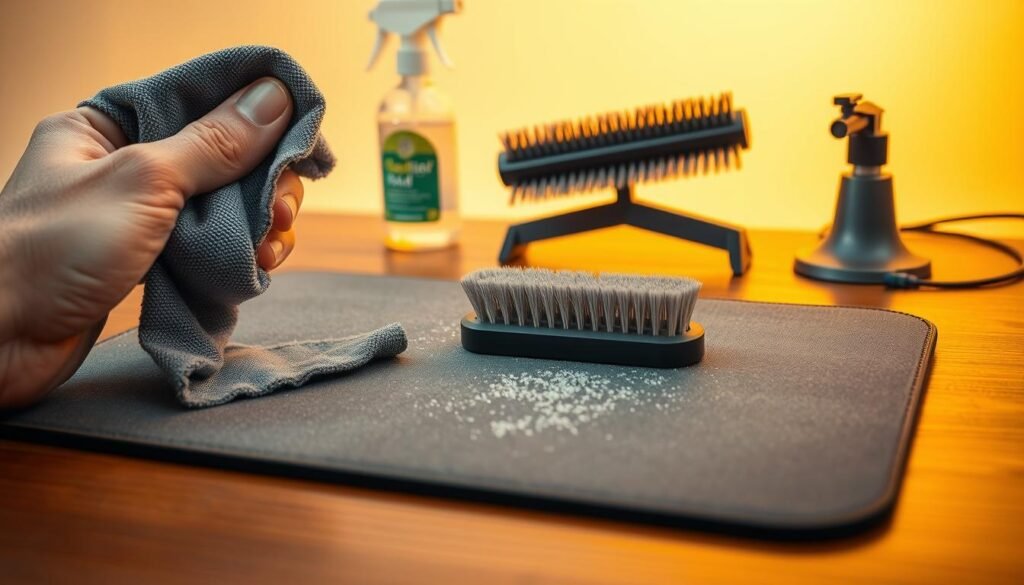
To keep your mousepad in top shape, regular care is key. A few simple habits can help your mousepad stay clean and work well for a long time.
Establish a Cleaning Schedule
Setting up a cleaning routine is a smart move. You might need to clean your mousepad every week or two, depending on how much you use it. If you’re a heavy user, cleaning it weekly can stop dirt and grime from building up.
Think about how often you use your mousepad and where you use it. If it’s in a dusty or dirty spot, clean it more often. But if it’s in a clean area and you use it lightly, you might only need to clean it every two weeks.
| Usage Level | Recommended Cleaning Frequency |
|---|---|
| Heavy | Weekly |
| Moderate | Bi-Weekly |
| Light | Monthly |
Spot Cleaning Techniques
Spot cleaning is also important. It’s about quickly dealing with spills or stains to stop them from becoming hard to remove.
For cloth mousepads, use a damp cloth to gently blot spills. Don’t rub, as it can harm the fabric. For hard mousepads, a mild detergent solution can help remove stains. Make sure to rinse and dry the area well to avoid any residue that might affect your mouse’s performance.
By following a regular cleaning schedule and knowing how to spot clean, you can keep your mousepad in great condition. This not only makes your computer use better but also makes your mousepad last longer.You can learn more about how-to-clean-strawberries
Optimal Storage Conditions
How you store your mousepad affects its life and use. Keeping it right when not in use is key.
Avoiding Heat and Humidity
It’s vital to keep your mousepad away from heat and damp places. Heat can damage the materials. Humidity can cause mold or mildew, mainly on cloth mousepads.
Storing it near a heater or in a damp basement is bad. Choose a cool, dry spot instead.
Where to Store Your Mousepad
Think about the place’s environment and how easy it is to get to. A drawer or desk compartment is great. They protect from dust and harm.
Storing it on your desk is okay if it’s clean and dry. Make sure it’s not in direct sunlight.
| Storage Location | Pros | Cons |
|---|---|---|
| Drawer | Protected from dust, less prone to damage | May be forgotten, less accessible |
| Desk Compartment | Easy to access, keeps the mousepad clean | Limited space, may not fit larger mousepads |
| On Desk | Easily accessible, visible | Exposed to dust, potential for damage |
Storing your mousepad right can make it last longer and work better. The main thing is to avoid heat and humidity. Keep it clean and dry.
Using a Mousepad Mat
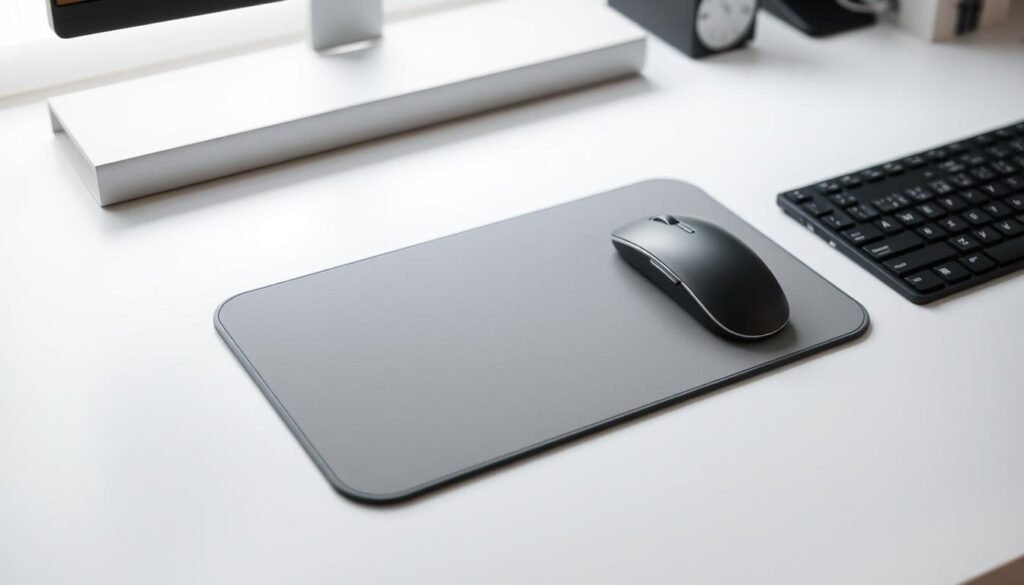
Using a mousepad mat can bring many benefits. It improves stability and protects your mousepad. This extra layer makes your computing experience better.
Benefits of Using a Mat
A mousepad mat has many advantages. It keeps your mousepad stable, so it doesn’t slip or move. This is great for gamers and anyone who needs precise mouse movements.
Key benefits include:
- Improved mousepad stability
- Enhanced protection against wear and tear
- A smoother surface for better mouse glide
Selecting the Right Mat
When picking a mousepad mat, think about size, material, and thickness. The mat should fit your mousepad and any extra space you need.
| Material | Thickness | Benefits |
|---|---|---|
| Rubber | Thin | Provides grip, easy to clean |
| Silicone | Medium | Flexible, durable, and resistant to spills |
| Foam | Thick | Cushioned, reduces noise, comfortable |
By looking at these factors, you can find a mousepad mat that protects your mousepad and improves your computing experience.
Customizing My Mousepad Care Routine
To get the most out of my mousepad, I need to tailor my care routine to my specific usage patterns. This involves understanding how I use my mousepad and adjusting my cleaning and maintenance approach.
Tailoring to My Usage
If I’m a heavy user, I need to clean my mousepad more frequently. This means establishing a regular cleaning schedule to prevent dirt and grime from building up. On the other hand, if I use my mousepad less often, I can get away with cleaning it less frequently.
I also need to consider the type of activities I use my mousepad for. For example, if I’m a gamer, I may need to clean my mousepad more often due to the intense usage.
Personal Preferences
My personal preferences also play a significant role in customizing my mousepad care routine. For instance, if I prefer a spotless workspace, I may want to clean my mousepad more frequently to maintain a clean and hygienic environment.
Also, I may have specific preferences when it comes to the cleaning products I use. Some people may prefer eco-friendly cleaning solutions, while others may prioritize effectiveness over environmental concerns.
By taking into account my usage patterns and personal preferences, I can create a customized care routine that meets my unique needs and keeps my mousepad in top condition.
Signs My Mousepad Needs Cleaning

A dirty mousepad can really mess up your computer use. It’s smart to check for dirt and performance problems often. This keeps your mousepad in top shape.
Observing Dirt Accumulation
One clear sign is when dirt starts to show. Dust, dirt, and oils from your skin can pile up. This makes your mousepad look dirty and might slow it down.
To spot dirt, just look at your mousepad. If it’s dirty or has stains, it’s time to clean it. Also, watch for any texture or color changes. These can mean dirt is building up.
Recognizing Performance Issues
Performance problems can also mean your mousepad needs a clean. For example, if your mouse skips or stutters, dirt might be the cause. It can mess with the mouse’s sensor.
Look out for these signs of performance trouble:
- Inaccurate cursor movement
- Mouse skipping or jumping
- Difficulty clicking or dragging
If you see these, cleaning your mousepad is a good first step.
| Signs | Description | Action |
|---|---|---|
| Visible Dirt | Dirt, dust, or stains on the mousepad surface | Clean the mousepad |
| Performance Issues | Mouse skipping, stuttering, or inaccurate movement | Clean the mousepad and check mouse settings |
Knowing these signs and acting fast keeps your mousepad working well. This ensures your computer use stays smooth and efficient.
Eco-Friendly Cleaning Solutions
I’ve found that eco-friendly cleaning solutions are great for keeping my mousepad clean. These methods protect the planet and keep my mousepad in top shape.
Using Natural Products
Using natural products at home is a simple way to clean my mousepad. A mix of water and white vinegar works well. The vinegar’s acid breaks down dirt without harming the mousepad.
I just dampen a cloth with the solution, wipe the mousepad, and let it dry. It’s easy and effective.
Benefits of Natural Products:
- Eco-friendly and biodegradable
- Gentle on the mousepad
- Cost-effective
Homemade Cleaning Solutions
For tough stains, I use homemade cleaning solutions. Mixing baking soda and water makes a paste. Apply it to the stain, let it sit, and then scrub it off with a soft brush.
Rinse with cold water and air dry. It’s a simple way to keep my mousepad clean.
Here’s a comparison of eco-friendly cleaning methods:
| Cleaning Method | Effectiveness | Eco-Friendliness |
|---|---|---|
| Vinegar and Water | High | Very High |
| Baking Soda Paste | High | Very High |
| Mild Dish Soap | Medium | High |
For more cleaning tips, check out this page.
What to Avoid When Cleaning

Cleaning your mousepad the wrong way can harm it. It’s important to know what to avoid. When I clean my mousepad, I avoid certain practices that could damage it.
Harsh Chemicals to Skip
Using harsh chemicals is a common mistake when cleaning mousepads. Avoid using bleach or any strong detergents, as they can damage the material or cause discoloration. Instead, use mild soap or specialized cleaning solutions made for your mousepad type.
| Chemical | Effect on Mousepad |
|---|---|
| Bleach | Discoloration, material damage |
| Strong Detergents | Surface damage, residue buildup |
| Mild Soap | Gentle cleaning, safe for most materials |
As
“The way you clean your mousepad can significantly affect its durability and performance.”
I always choose cleaning products that are safe and effective.
Improper Scrubbing Techniques
Another important thing is the scrubbing technique. Avoid using abrasive scrubbers or rough cloths that can scratch or wear down your mousepad. Instead, use a soft, damp cloth to gently wipe away dirt and stains.
By being careful with cleaning products and techniques, you can make your mousepad last longer. Remember, the key is to be gentle and cautious when cleaning your mousepad.
Enhancing My Workspace Aesthetics
Personalizing my workspace has shown me how a stylish mousepad can change my computing experience. A good mousepad can make my workspace look better and feel more welcoming.
Choosing Stylish Mousepads
I look for mousepads that are both functional and stylish. A mousepad that matches my workspace decor can add a personal touch to my setup.
- Think about the color and design that fits my workspace.
- Pick a material that looks good and lasts long.
- Choose a size that’s right for my space without taking over.
I can pick from many designs, like simple patterns or bright colors, to match my space’s vibe. A clean desk mat also helps keep everything looking good together.
Incorporating Cleaning into My Space
Cleaning my workspace regularly is key to keeping it looking great. It keeps my mousepad in top shape and my space tidy.
| Cleaning Task | Frequency |
|---|---|
| Dust removal | Weekly |
| Deep cleaning | Monthly |
Having a cleaning plan helps me keep my workspace looking its best. It makes sure my mousepad stays stylish and useful.
“A clean workspace is not just about hygiene; it’s also about creating an environment that inspires productivity and creativity.”
By picking a stylish mousepad and keeping my space clean, I make my computing experience better. My workspace now shows off my personal style.
Conclusion and Final Thoughts
Keeping your mousepad clean is key for a healthy workspace and better computer use. By following the tips in this article, you can make your mousepad last longer. This will also improve your overall computer experience.
Effective Mousepad Care
It’s important to clean and care for your mousepad regularly. I suggest setting up a cleaning schedule and using the right cleaning methods for your mousepad. For more details, check out this complete guide on mousepad care.
Keeping Your Mousepad Clean
To keep your mousepad clean, be careful about how you use it and your surroundings. Stay away from harsh chemicals, high heat, and rough materials. By following these tips, you’ll have a better computer experience and extend your mousepad’s life.